
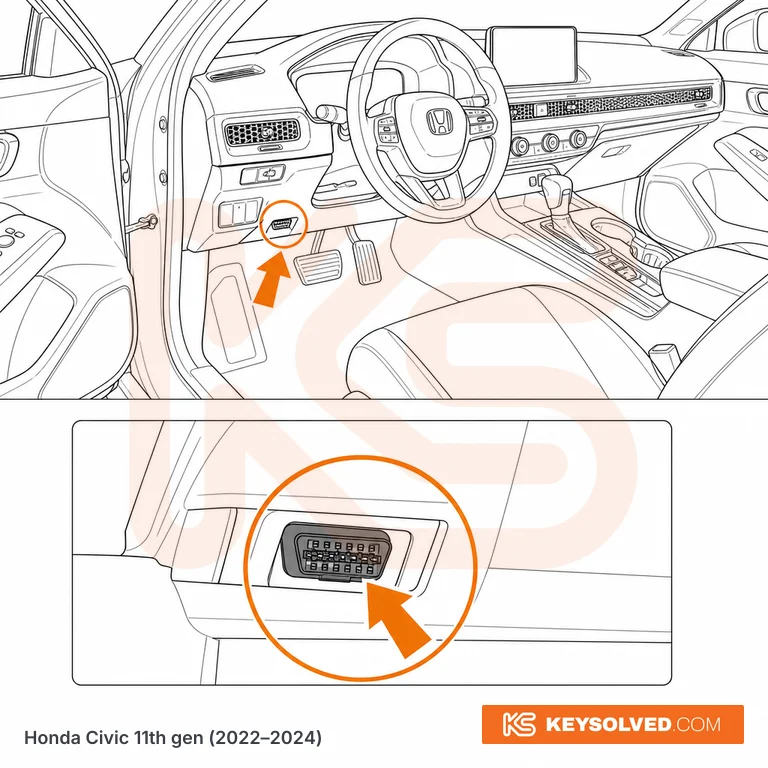
11th gen 2022–2024
Driver's side, under the dashboard, left of the steering column. The port is recessed slightly — no trim removal needed. Angle the connector downward to seat it fully.
Six generations, 2006–2024. Pick yours.
2015–2022
Illustration — use it to know where to look.
Driver's footwell, below the steering wheel and to the left of the steering column, above the pedals. On the 9th gen (2013-2016), the port is inside the fuse box housing area — requires a torch to locate, recessed position. On the 10th gen (2017-2022), the port is more openly accessible on the lower dashboard panel to the left of the steering column, adjacent to the bonnet release lever. No panel removal required on either generation, but the 9th gen location is recessed and dark.
Also on this Civic
2006–2011
Illustration — use it to know where to look.
Right-hand drive (UK cars): in the driver's footwell by your left knee, a grey connector just behind the plastic trim on the left corner, above where your left leg rests (owners on a UK Civic forum). No left-hand-drive source.
Also on this Civic
Driver's side, under the dashboard, left of the steering column. The port is recessed slightly — no trim removal needed. Angle the connector downward to seat it fully.
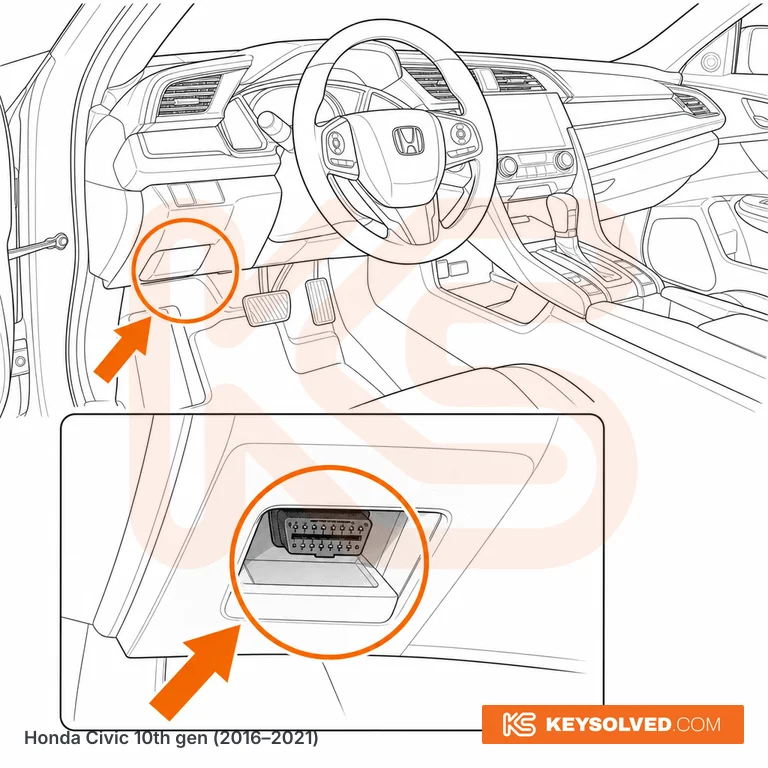
Driver's side, under the dashboard, left of the steering column. The port is recessed slightly behind a small trim panel — no tools needed to access it. Angle the connector downward to seat it fully.
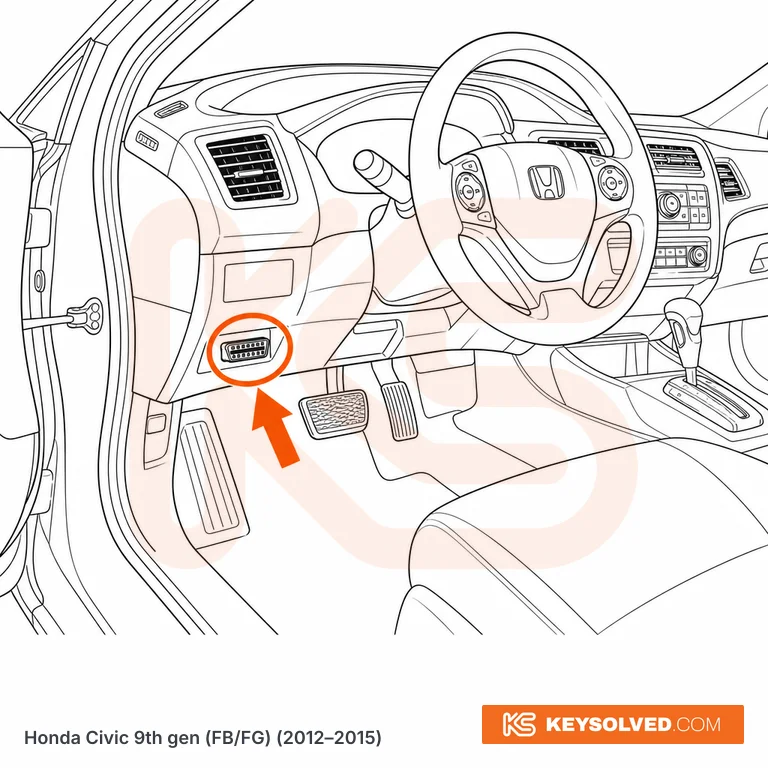
Driver's side, under the instrument panel to the left of the steering column, above the footrest. The 16-pin OBD connector is visible immediately without removing any cover or panel. Consistent location on all 9th gen Civic body styles: sedan (FB), coupe (FG), and hatchback (not sold in North America for this generation).
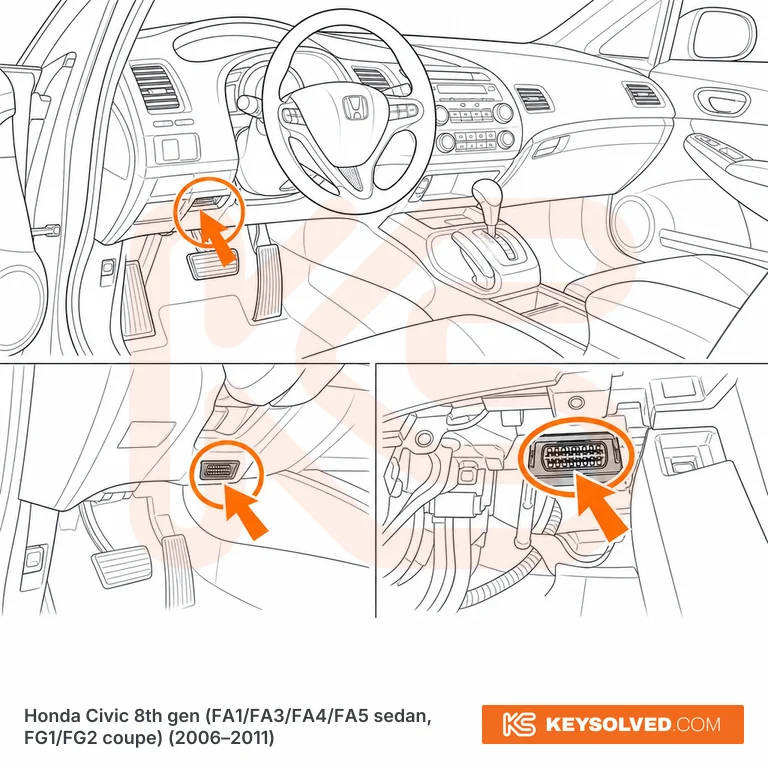
Driver's footwell, high up under the lower dash and to the RIGHT of the steering column — inboard, tucked into the corner where the underside of the dash meets the centre console trim. It is angled upward and rearward, so you cannot see it from the driver's seat: drop your head into the footwell and look up past the column, or feel along the top of that corner. Every US 8th gen Civic is left-hand drive and the position is the same on all of them — DX, LX, LX-S, EX, EX-L, Si, Hybrid and GX, sedan and coupe. Expect the connector to be a stretch to seat properly; push straight in along its axis rather than upward, because the bracket lets go and the connector disappears behind the dash if you lean on it.
Questions
Step-by-step add-key and all-keys-lost procedures for every Civic, which of your tools will do it, and what catches people out.
Subscribe